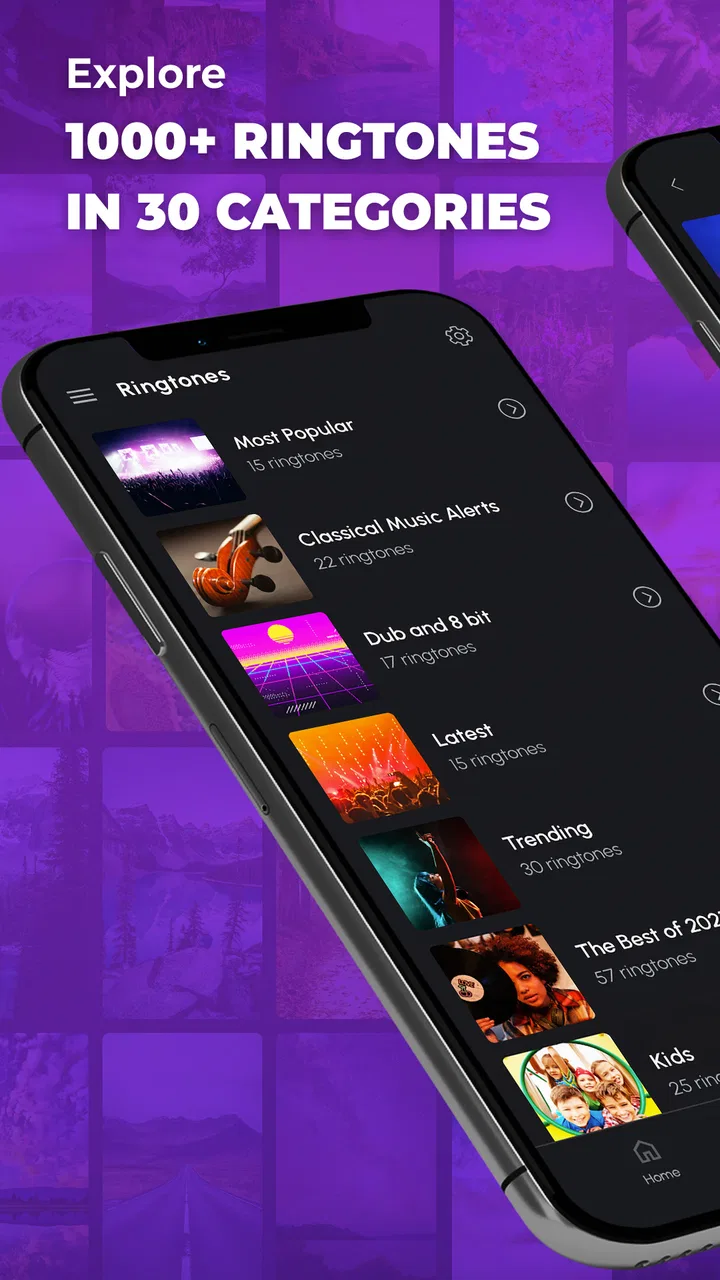
Phone Ringtones
- 4.4
- Rating
- 50.00M
- Installs
- Free
- Price

 Analysis by App-foxy
Phone Ringtones is the kind of music and audio app I open when the default notification sounds have started to feel dull. Instead of searching through random audio files or settling for the tones already installed on a phone, I can browse a large collection of sounds and choose something with a bit more personality. It is free to install, aimed at Teen users, and developed by Peaksel Ringtones Apps.
My first impression is that this is a practical customization tool rather than a full music player. The purpose is simple: find a ringtone, preview it, and use it to make calls or alerts easier to recognize. That focus works well for people who want a quick change without learning an editing program. It is less appealing if you are looking for an advanced audio workstation, a streaming service, or a place to organize a personal music library.
The app has been around since October 23, 2013, which helps explain why it feels like a mature ringtone product rather than a new experiment. Its current version is 15.9.1, and it runs on Android 7.0 or later. I also understand why it has built such a large audience: it has passed 50 million installs, carries a 4.5 average from around 218 thousand ratings, and has about 3.5 thousand written reviews. Those figures suggest that its central job is clear and useful to many phone owners, even though the experience is not perfect.
You May Also Like

 Blood Strike: 2.5 Anniversary
Blood Strike’s Loadouts Turn Every Drop Into a Tactical Gamble
A close look at Blood Strike’s custom loadouts: how fast access to signature weapons reshapes its battle royale rhythm, rewards preparation, and narrows the gap between fights.

 Pandora - Music & Podcasts
Pandora’s Music Is Easy to Start, but Harder to Recover
Pandora’s strength is its low-effort path from a seed to a station. Its weak spot is how much confidence it asks you to place in connection, setup, and quiet recovery.

 8 Ball Pool
 Is Built on Rivalries, Rematches, and Routine
A close look at the rivalries, rematches, shared routines, and unanswered safety questions that turn a quick pool match into a persistent mobile community.

 Samsung Music
’s Quiet Strength Is Playing What You Already Own
Its reach comes less from spectacle than from dependable access to a personal library. That simplicity is both the app’s strongest retention engine and its ceiling.

 AccuWeather: Weather Radar
AccuWeather Review: A Quick, Clear Forecast for Everyday Decisions
For everyday plans, the best forecast is the one you can understand quickly. AccuWeather makes rain timing, radar, and local conditions easy to act on, with a few trade-offs.

 Hill Climb Racing
Why Hill Climb Racing Still Turns Crashes Into One More Run
A tiny car, a bumpy hill and one more upgrade: Hill Climb Racing keeps resurfacing because its simple chaos makes every near-miss feel personal.
More From Our News Desk



How the current ringtone experience works in everyday use
I find it helpful to begin with the everyday problem behind a ringtone change: in a shared home, several phones can sound alike, and a quick preview does not reveal whether a tone will be easy to recognize across a room. I’ll focus next on keeping each person’s choices clear and manageable, so customization adds distinction without making the household’s alerts harder to understand.
Finding a sound without turning the task into a project
The strongest part of Phone Ringtones is its directness. I do not need to prepare an audio file, trim a song manually, or move files between a computer and a phone just to change a call sound. The app is built around discovery, so the useful workflow is to browse, listen, reject anything that feels too loud or too repetitive, and keep the tones that suit the way I actually use my phone.
That matters more than it may seem. A ringtone can sound fine during a short preview but become irritating after hearing it several times a day. I recommend testing a candidate at a normal listening volume and imagining it in a busy place, not only enjoying the first few seconds. A tone that has a clear opening is often more practical than one with a long musical build, especially when the phone is in a pocket or another room.
The app is also useful for people who want different sounds for different situations. A distinctive call tone can help me recognize my own phone in a room full of devices. A shorter alert can be less disruptive for routine notifications, while a more noticeable sound may be useful for calls that I do not want to miss. The important point is to treat the collection as a set of tools for recognition, not just a gallery of amusing noises.
A realistic daily scenario
Imagine that I am working in a shared office where several people use similar phones. The standard ringtone plays, and three people reach for their devices. With Phone Ringtones, I can choose a sound that is recognizable without being painfully loud. I can then tell more quickly whether the incoming call is mine. The same idea works at home, where a family member may use the same default alert as everyone else.
There is another useful situation: replacing a sound that has become associated with stress. If an old tone was used during a demanding period, hearing it repeatedly can be surprisingly unpleasant. Switching to something calmer gives the phone a small but noticeable reset. I would not describe this as a major lifestyle feature, but it is a genuine reason to use a ringtone app instead of ignoring the default settings.
For older relatives or anyone who struggles to identify alerts, a clear and distinctive tone may be more useful than a fashionable one. I would choose something with a simple pattern and enough volume to stand out, then check that it is not startling. This is a small customization decision, but it can make missed calls less common.
Where it sits beside the usual alternatives
Compared with the sounds already included with Android, Phone Ringtones offers more variety and makes discovery the main activity. The built-in settings are faster when I already have a file ready or only want to choose one of the system options. They are not as convenient when I want to explore several styles before deciding.
Compared with a music-streaming app, this app is much more focused. Streaming services are better for listening to complete tracks, building playlists, and discovering artists. They are not designed primarily around selecting a short, practical phone alert. Phone Ringtones makes sense when the desired result is a sound for the device itself, not an evening of listening.
Compared with an audio editor, it removes much of the work but also gives me less control. An editor is the better choice when I want to cut a precise moment from a recording, adjust its volume carefully, or create a highly personal tone. Phone Ringtones is better for convenience: I can choose from prepared options instead of doing the production myself.
That trade-off explains the app’s appeal. It saves time for ordinary customization, but it will not satisfy someone who wants complete control over the source material. I see it as a shortcut for people who care about the result more than the editing process.
What the current version means for existing users
Seeing version 15.9.1 tells me that the product is still maintained as an established app rather than being frozen in its original form. I would approach that positively, while keeping expectations realistic. A current version can make the app more comfortable to use on newer Android devices, but it does not automatically turn a simple ringtone catalog into an advanced audio platform.
For someone who already uses it, the main benefit of continuing with the current version is consistency. Existing users can keep the same basic purpose—discovering and applying phone sounds—without moving to an entirely different type of app. If the app already fits a person’s routine, there is little reason to replace it merely because newer alternatives look more modern.
For a new user, the version number is a reminder to check compatibility before installing. Android 7.0 is the minimum operating system, so phones running older software are outside the supported range. On a compatible device, I would still keep enough free storage for normal app operation and avoid changing several sound settings at once. That makes it easier to identify whether a ringtone has been applied successfully.
Free access and the role of in-app purchases
The app is free, which makes trying it low-risk from a financial point of view. There are in-app purchases ranging from $0.99 to $59.99 per item, so I would pay attention to any purchase screen rather than assuming every part of the experience is included without charge. The broad range means that optional spending can be minor or considerably more substantial depending on what is offered and selected.
My advice is simple: use the free experience first and decide whether the available sounds already solve the problem. If they do, there is no practical reason to buy anything. If an optional item seems attractive, I would consider whether it adds a meaningful improvement or merely offers another variation of a sound I could live without. This is especially important for a utility app, because a ringtone is a small part of the phone experience.
Parents should also remember the Teen content rating when deciding whether the app is suitable for a younger user. The rating does not change the basic purpose of the app, but it is still worth considering alongside the child’s age and the possibility of in-app purchases. I would set up appropriate purchase controls before handing the phone over.
Small workflow choices that improve the result
One of my favorite ways to use a ringtone catalog is to start with the situation rather than the sound category. I first ask whether I need a call tone that cuts through background noise, a gentle message alert, or a sound that will not annoy other people. This avoids choosing something only because it sounds impressive in a preview.
A second useful habit is to keep the number of active sounds limited. If I change every alert at once, I may forget which sound belongs to which event. I prefer one main ringtone, one quieter notification sound, and perhaps a separate choice for an important contact. This creates a simple audio system that I can remember without checking the settings.
A third tip is to test the tone in more than one environment. A sound that is pleasant in a quiet bedroom may disappear in traffic, while a tone that works outdoors may be too aggressive at a desk. I would test it at home, during a walk, and with the phone in a pocket or bag. The goal is not maximum volume; it is reliable recognition.
There is also a privacy-minded reason to avoid overly distinctive or humorous sounds in formal settings. A funny ringtone can be enjoyable among friends but awkward during a meeting or appointment. Phone Ringtones gives me the freedom to choose something expressive, but it does not make the social decision for me. I still need to match the sound to the places where I carry the phone.
Remaining friction and who should skip it
The biggest limitation is that convenience comes at the expense of precision. If I want to use a personal recording, edit a song to an exact length, or control technical audio details, a dedicated editor is more suitable. This app is built to help me select from available choices, not to replace a complete sound-production workflow.
I would also skip it if my only goal is to use an audio file that is already stored on the phone. Android’s own settings may be quicker in that case. Installing a separate catalog just to select an existing file adds an unnecessary step.
People who dislike browsing collections may find the experience less satisfying than expected. The app’s value depends on being willing to preview options and make a choice. If I already know exactly which sound I want, a direct file picker or system setting is more efficient.
Another limitation is the possibility of distraction from optional content or purchases. Even when the main task is straightforward, I prefer to move carefully through the interface and confirm what I am selecting. That is not a reason to reject the app, but it is a reason to use it deliberately rather than tapping quickly through every screen.
What to watch as the app continues to evolve
Because Phone Ringtones has developed over many years and now sits at version 15.9.1, I would watch how well its simple identity is preserved. The best future direction would be smoother discovery, clearer organization, and dependable compatibility as Android changes. Those improvements would help without turning the app into something unnecessarily complicated.
I would also look for a balance between a broad catalog and a calm user experience. More choices are useful only when I can find suitable sounds without wading through too much repetition. Better filtering, clear previews, and sensible separation between free and optional content would matter more to me than flashy additions.
For existing users, the practical question is whether updates continue to make everyday customization easier. For new users, the question is whether the free portion offers enough variety before any purchase is considered. In both cases, the app should remain judged by the same standard: can I find a recognizable, appropriate sound quickly and apply it without unnecessary effort?
My final recommendation
I recommend Phone Ringtones to Android users who want more personality and variety than the standard system sounds provide. Its long presence, current version, large install base, and strong average rating make it an easy app to consider for this narrow purpose. I especially like it for shared spaces, family phones, and anyone who wants to separate important calls from ordinary alerts.
I would not recommend it as a replacement for a music player or audio editor. Those tools are better when listening, composing, trimming, or fine-tuning matters more than quick selection. I would also think carefully before spending money, since the free starting point may already be enough for a simple ringtone change and optional purchases can reach a much higher amount than the smallest item.
Overall, my opinion is favorable because the app understands what most people want from this category: a fast way to make a phone sound less generic. The best results come from choosing for clarity and context rather than novelty alone. If that is your goal, Phone Ringtones is a useful, approachable choice; if you need total control over your own audio, the usual system tools or a dedicated editor will serve you better.
FAQs for Phone Ringtones
01What features does the Phone Ringtones app offer?
The Phone Ringtones app provides a vast collection of ringtones, alarms, and notification sounds. Users can browse through various categories such as pop, rock, classical, and more. The app also allows customization, letting users trim audio files to create personalized ringtones. Additionally, the app offers a favorites section for easy access to preferred tunes.
02Is the Phone Ringtones app free to use?
Yes, the Phone Ringtones app is free to download and use. However, it may offer in-app purchases or ads to access premium features or remove advertisements. Users can enjoy a wide range of free ringtones, but premium versions might offer exclusive content or an ad-free experience.
03How do I set a ringtone using the Phone Ringtones app?
To set a ringtone, simply browse the available options and select your preferred sound. Once chosen, tap on the 'Set as Ringtone' option. The app will guide you through the necessary permissions to apply the ringtone to your device. You can also set specific ringtones for contacts directly from the app.
04Is the Phone Ringtones app compatible with my device?
The Phone Ringtones app is designed for both Android and iOS devices. Ensure your device meets the minimum operating system requirements specified on the app’s download page. Compatibility is generally broad, but checking app updates and device compatibility before downloading is recommended.
05Does the Phone Ringtones app require an internet connection?
An internet connection is needed to download new ringtones and access the app's online features. However, once a ringtone is downloaded, it can be used offline. Users can manage and apply these offline ringtones without needing ongoing internet access, which is convenient for on-the-go customization.
Pros
- Wide variety of ringtone options.
- User-friendly interface for easy navigation.
- High-quality sound files available.
- Option to customize ringtones easily.
- Regular updates with new tones.
Cons
- Contains ads that can be intrusive.
- Some ringtones require in-app purchases.
- Limited free options available.
- May prompt frequent permission requests.
- Occasional app crashes reported.

Phone Ringtones
Gallery